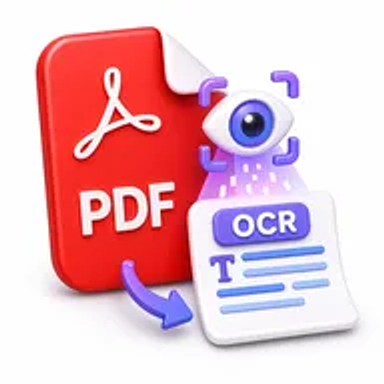
OCR PDF online tool converting a scanned PDF into searchable text

OCR PDF Online for Free – Make Scanned PDFs Searchable

Convert scanned PDFs and image-only documents into searchable text in a few simple steps. Upload your file, run online OCR, and download a more useful PDF without installing software or creating an account.

Files never leave your device

Upload

Drag and Drop or Browse to Upload

Supported formats: pdf

Options

Why OCR for Scanned PDF Files Matters

Scanned PDFs often contain pages that behave like images. You may be able to read the document on screen, but searching for a name, copying a paragraph, or locating a number can be difficult because the text is not digitally recognized.

Optical character recognition, commonly called OCR, identifies printed characters on scanned pages and adds usable text to the document. This makes records easier to search, review, organize, quote, and reuse in everyday study or office work.

How Hemiley Simplifies PDF OCR

Hemiley’s OCR PDF tool processes scanned documents directly in your browser. Upload the PDF, start the recognition process, and download the resulting file when it is ready. There is no desktop application to install and no account is required.

OCR accuracy depends on the clarity, language, page angle, and print quality of the source scan. Hemiley is designed to retain the document’s visual structure as closely as possible while creating a searchable text layer.

Key Benefits

  • Free and accessible

    Run OCR on scanned PDFs without paying for desktop software.

  • Searchable document text

    Find names, dates, reference numbers, and keywords more easily.

  • Simple browser workflow

    Upload, process, review, and download from one online tool.

  • Secure file handling

    Documents are processed securely and are not intended to be retained longer than necessary.

  • Cross-device support

    Use the OCR tool from modern desktop, tablet, and mobile browsers.

  • Practical output quality

    Preserve the original page appearance while improving text usability.

Who Uses Our Online OCR PDF Tool?

  • Students and researchers

    Search scanned books, notes, journal pages, and archived papers.

  • Legal and administrative teams

    Locate clauses, names, dates, and reference numbers in scanned records.

  • Finance and HR teams

    Digitize receipts, forms, employee files, invoices, and historical documents.

  • Freelancers and small businesses

    Make client scans and paper archives easier to review and reuse.

How to OCR a PDF Online in 4 Steps

  1. 1

    Upload the scanned PDF

    Select the image-based or scanned document from your device.

  2. 2

    Start the OCR process

    Choose the available recognition options and begin processing.

  3. 3

    Review the converted document

    Check important names, numbers, and formatting for accuracy.

  4. 4

    Download the searchable PDF

    Save the processed file to your device.
Common OCR PDF Use Cases

  • Make scanned contracts and agreements searchable by keyword.
  • Digitize printed class notes, books, and research materials.
  • Extract useful text from receipts, invoices, and application forms.
  • Improve the searchability of archived office and government records.
  • Prepare scanned content for editing with a PDF to Word converter.

Why Choose Hemiley?

Hemiley makes OCR accessible through a straightforward online workflow. The tool focuses on the essential steps users need: upload a scanned PDF, recognize its text, review the result, and download the processed document.

Because it works in a web browser, you can convert scanned PDFs at school, at work, at home, or while using a mobile device.

Frequently Asked Questions

OCR recognizes printed characters on scanned pages and creates searchable text while keeping the original page image and layout as closely as possible.

OCR is generally designed for clear printed text. Handwriting, decorative fonts, blurred scans, and damaged pages may produce less accurate results.

OCR makes the text searchable and selectable. For broader editing, convert the processed PDF to Word or use an appropriate PDF editing tool.

Yes. The tool is designed to work in modern mobile and desktop browsers.

No. The recognition process runs online without a desktop application or browser extension.