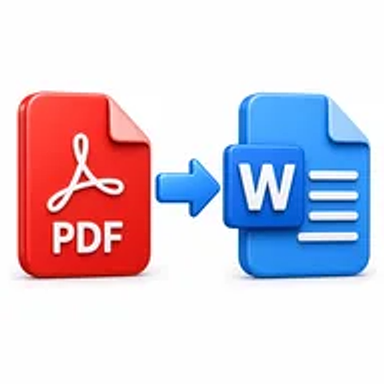
PDF to Word online tool converting a PDF document into an editable DOCX file

PDF to Word Online for Free – Convert PDF to Editable DOCX

Convert PDF documents into editable Word files online. Upload your PDF, process it in a few steps, and download a DOCX version for updating, reformatting, or reusing content without installing software.

Files never leave your device

Upload

Drag and Drop or Browse to Upload

Supported formats: pdf

Options

Why Converting PDF Files to Word Matters

PDFs are designed for consistent viewing and sharing, not extensive editing. Updating a paragraph, correcting a date, reusing a table, or changing a document’s design can be difficult when the original editable file is unavailable.

Converting a PDF to Word creates a DOCX version that can be revised using common word-processing software. It is useful for recovering content, preparing a new draft, updating business records, or adapting existing material.

How Hemiley Simplifies PDF to Word Conversion

Hemiley converts PDF files into Word documents through a browser-based process. Upload the PDF, start the conversion, and download the resulting DOCX file when it is ready.

The converter is designed to preserve text, headings, lists, images, tables, and page structure as closely as possible. Complex columns, forms, unusual fonts, scanned pages, and heavily designed layouts may require manual adjustment after conversion.

Key Benefits

  • Free online conversion

    Create an editable Word version without paid desktop software.

  • Editable DOCX output

    Update text, formatting, and document structure in a word processor.

  • Content reuse

    Recover paragraphs, tables, lists, and images from existing PDFs.

  • Secure file handling

    Documents are processed securely and are not intended to be retained longer than necessary.

  • Works across devices

    Use the converter through modern desktop and mobile browsers.

  • Formatting-focused results

    Preserve the original document structure as accurately as possible.

Who Uses Our PDF to Word Converter?

  • Students and researchers

    Reuse notes, citations, tables, and academic content.

  • Legal and administrative teams

    Update agreements, policies, forms, and official letters.

  • Businesses and freelancers

    Revise proposals, reports, invoices, and client documents.

  • HR and operations teams

    Edit job descriptions, procedures, templates, and internal records.

How to Convert PDF to Word Online in 4 Steps

  1. 1

    Upload the PDF

    Select the document you want to turn into a Word file.

  2. 2

    Confirm the source file

    Check that the correct PDF is ready for conversion.

  3. 3

    Select Convert to Word

    Start the browser-based PDF to DOCX process.

  4. 4

    Download the Word document

    Review the editable file and save it to your device.
Common PDF to Word Use Cases

  • Update a contract, policy, report, or business letter when the source file is missing.
  • Reuse paragraphs, headings, tables, and lists in a new document.
  • Correct dates, names, prices, or contact information in an old file.
  • Convert academic material into an editable study or research document.
  • Create a reusable Word template from a previously finalized PDF.

Why Choose Hemiley?

Hemiley helps users recover editable content from PDF documents through a simple online workflow. Upload the file, convert it, download the DOCX, and continue editing in your preferred word processor.

The tool runs in a browser and is suitable for quick document updates when the original Word source is unavailable.

Frequently Asked Questions

Yes. The output is intended to be an editable Word document, although complex layouts may require manual adjustment.

The converter is designed to retain tables, images, headings, lists, and general structure as closely as possible.

Scanned pages may need OCR before the text can be converted effectively. Use the OCR PDF tool first when necessary.

Yes. The converter is designed to work in modern mobile and desktop browsers.

No. Conversion runs online, although a compatible word processor is needed when you want to edit the downloaded DOCX.