Why PDF File Size Matters
Large PDF files can be difficult to email, slow to upload, and expensive to store at scale. Application portals and document systems may also enforce strict upload limits. Image-heavy scans, presentation exports, and high-resolution reports are common sources of oversized PDFs.
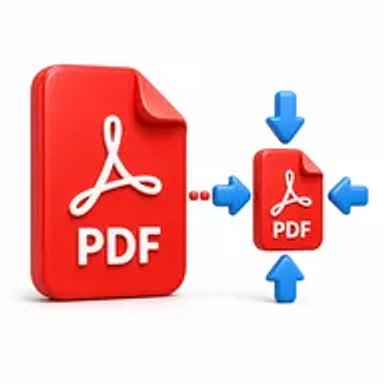
Compression reduces the file size so the document is easier to send, download, store, and access on slower connections.
How Hemiley Simplifies PDF Compression
Upload the PDF and let Hemiley optimise the document for a smaller file size. The tool is designed to balance compression with readable text and useful image quality, avoiding unnecessary manual export settings.
The online workflow is suitable for both quick personal tasks and recurring business document preparation.
Key Benefits
Smaller attachments
Make PDFs easier to send by email or messaging platforms.
Faster uploads
Prepare files for portals, websites, and cloud systems.
Reduced storage use
Save space when archiving many documents.
No installation
Compress files directly in your browser.
Works across devices
Use supported desktop, tablet, and mobile browsers.
Quality-aware processing
Reduce file size while aiming to keep content clear and usable.
Who Uses the PDF Compressor?
Students and applicants
Meet upload limits for assignments and forms.
Business teams
Share reports, proposals, and presentations more efficiently.
Website managers
Prepare downloadable PDFs that load faster.
Administrators
Reduce the storage footprint of scanned records and archives.
How to Compress a PDF Online in 4 Steps
- 1
Upload the PDF
Select the document you want to make smaller.
- 2
Choose a compression option
Select the available level that best matches your quality needs.
- 3
Click “Compress PDF”
Start the optimisation process.
- 4
Download the smaller file
Save the compressed PDF to your device.
Common PDF Compression Use Cases
- Reduce an attachment before sending it by email.
- Meet a government, school, or job portal upload limit.
- Optimise brochures, reports, and eBooks for website downloads.
- Save cloud or local storage space for scanned records.
- Make files easier to share on mobile connections.
Why Choose Hemiley?
Hemiley provides a quick compression workflow without forcing users to navigate technical export settings. Upload the file, choose the available option, and download a smaller version.
The tool is particularly useful when a deadline or upload limit leaves little time for manual optimisation.
Related Free PDF Tools
Frequently Asked Questions
The reduction depends on the original file, image resolution, fonts, and existing optimisation.
Text usually remains clear, but very strong compression can affect image-based or scanned text.
Yes. Scanned PDFs often have strong compression potential because they contain large images.
Yes. Hemiley works through supported mobile browsers.
Yes. Download the compressed version and keep the original when maximum quality may still be needed.