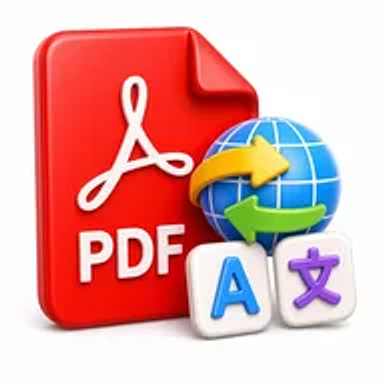
Translate PDF online tool for converting PDF document text into another language

Translate PDF Online for Free – Translate PDF Documents

Translate PDF documents online while keeping the content organized for review. Upload your PDF, choose the source and target languages, and download or use the translated result.

Files never leave your device

Upload

Drag and Drop or Browse to Upload

Supported formats: pdf

Options

Why Translate a PDF Online?

PDFs are used for research, education, contracts, manuals, reports, applications, and international business communication. When a document is written in an unfamiliar language, copying each paragraph into a separate translator is slow and can disrupt page order and context.

An online PDF translator processes the document as a complete file, making it easier to review translated content in sequence. It can support general understanding, collaboration, study, and multilingual communication.

How Hemiley Simplifies PDF Translation

Upload the PDF, choose the original language and the language you need, and start the translation. Hemiley analyzes the available text and produces translated content while aiming to keep the document structure understandable.

Automated translation may not preserve every font, layout element, table, annotation, or specialized term. Scanned PDFs may require OCR, and legal, medical, technical, or certified translations should be reviewed by a qualified human translator.

Key Benefits

  • Whole-document workflow

    Translate PDF content without copying each paragraph manually.

  • Multiple language support

    Choose from the source and target languages available in the tool.

  • Faster initial understanding

    Review foreign-language reports, papers, manuals, and documents.

  • No sign-up required

    Start the translation without creating an account.

  • Browser-based access

    Use the tool from supported desktop and mobile devices.

  • Organized output

    Keep translated content in document order for easier review.

Who Uses Our Online PDF Translator?

  • Students and researchers

    Understand study materials, papers, and international sources.

  • Businesses and remote teams

    Review reports, proposals, manuals, and cross-border communication.

  • Travelers and individuals

    Translate forms, guides, notices, and personal documents for understanding.

  • Content and support teams

    Prepare a draft translation for multilingual review and localization.

How to Translate a PDF Online in 4 Steps

  1. 1

    Upload the PDF

    Choose the document you want to translate.

  2. 2

    Select the languages

    Confirm the source language and choose the target language.

  3. 3

    Generate and review the translation

    Check names, numbers, terminology, tables, and important instructions.

  4. 4

    Download or use the translated result

    Save the output where supported and retain the original for reference.
Common PDF Translation Use Cases

  • Translate research papers and educational materials for initial understanding.
  • Review international business reports, proposals, and correspondence.
  • Translate user manuals, product information, and support documents.
  • Understand travel documents, notices, guides, and application instructions.
  • Create a draft translation for professional editing or localization.

Why Choose Hemiley?

Hemiley provides a direct browser-based workflow for translating complete PDF documents instead of processing isolated text fragments. It helps users obtain a readable first version for study, review, and communication.

Machine translation is most useful as a starting point. Certified, legal, medical, financial, safety-critical, or public-facing translations require appropriate human review.

Frequently Asked Questions

A scanned PDF may require OCR before its text can be translated.

Not always. Font differences, text expansion, tables, images, and complex formatting can change the layout.

No. Certification requires a qualified translator or authorized service that meets the receiving organization's rules.

No. Specialized terminology and context can be mistranslated, so important documents need expert review.

Yes. Retain the original document for reference and compare it with the translated output during review.