Why Summarize a PDF with AI?
Long reports, academic papers, meeting documents, policies, manuals, and eBooks can take significant time to review. Readers often need a quick understanding of the topic, main arguments, decisions, findings, or action points before deciding which sections require close attention.
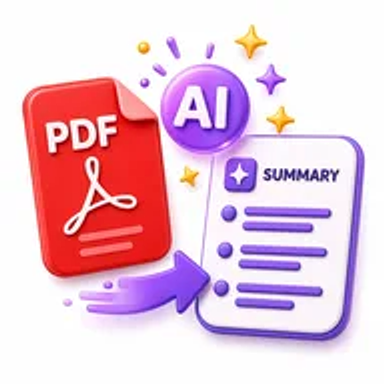
An AI PDF summarizer can produce a shorter overview that helps with document triage and initial comprehension. The summary should be treated as a reading aid, not as a replacement for the original source.
How Hemiley Simplifies PDF Summarization
Upload a text-based PDF and let Hemiley analyze the available document content. The tool generates a concise summary that can help you identify major themes, key points, and important sections.
AI-generated summaries can omit context, misunderstand tables, miss qualifications, or produce inaccurate statements. Scanned PDFs may require OCR, and confidential or regulated documents should only be processed in accordance with applicable privacy and organizational rules.
Key Benefits
Faster document review
Understand the general subject and main points before reading in depth.
Concise output
Turn long PDF content into a shorter, easier-to-scan overview.
Useful for prioritization
Decide which reports, papers, or sections need closer attention.
No sign-up required
Generate a summary without creating an account.
Browser-based access
Use the summarizer from supported desktop and mobile browsers.
Broad document support
Summarize reports, articles, papers, meeting documents, and other text-based PDFs.
Who Uses Our AI PDF Summarizer?
Students and researchers
Preview papers, chapters, case studies, and reference material.
Business professionals
Review reports, proposals, meeting documents, and market material.
Legal and policy teams
Create an initial overview before detailed expert review.
Editors and content teams
Identify the structure, themes, and main claims in long documents.
How to Summarize a PDF Online in 4 Steps
- 1
Upload the PDF
Choose the document you want to review.
- 2
Start the AI summary
Let the tool analyze the available text content.
- 3
Review the generated overview
Compare key claims, figures, names, and conclusions with the source.
- 4
Use or save the summary
Copy or download the result as a reading aid where supported.
Common AI PDF Summarization Use Cases
- Preview a research paper before reading the full methodology and results.
- Create a quick overview of a business or project report.
- Summarize meeting notes, case studies, articles, or eBooks.
- Identify key themes in policies, manuals, and reference documents.
- Prepare discussion notes while retaining the original PDF for verification.
Why Choose Hemiley?
Hemiley makes initial PDF review faster by turning long text into a concise overview through a simple browser workflow. It is useful when users need orientation before reading, discussing, or assigning a document.
The original PDF remains the authoritative source. AI output should be checked for omissions, errors, and missing context before it is shared or used in decisions.
Related Free PDF Tools
Frequently Asked Questions
Scanned PDFs may need OCR before the text can be analyzed accurately.
No. AI summaries can omit details or misinterpret content, so important information must be checked against the original.
No. Use it for orientation and review the relevant original sections before making decisions or submitting work.
Not always. Complex tables, figures, footnotes, and visual evidence may be missed or misunderstood.
Only when doing so complies with your privacy, security, contractual, and organizational requirements.