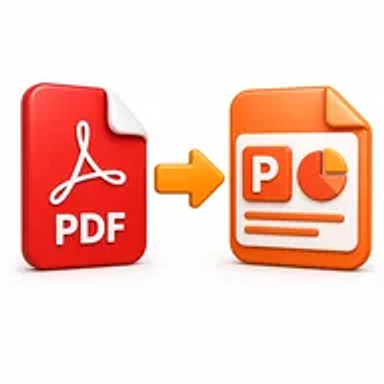
PDF to PowerPoint online tool for converting PDF files into editable PPT slides

PDF to PowerPoint Online for Free – Convert PDF to PPT

Convert PDF pages into an editable PowerPoint presentation online. Upload your PDF, process it in a few clicks, and download a PPT file for updating, presenting, or reusing content.

Files never leave your device

Upload

Drag and Drop or Browse to Upload

Supported formats: pdf

Options

Why Convert a PDF to PowerPoint?

PDF files are useful for sharing finished presentations, but they are not designed for convenient slide editing. When the original PowerPoint file is missing, updating a chart, changing text, reusing a diagram, or applying a new template can become difficult.

Converting the PDF to PowerPoint gives you a practical starting point for rebuilding or revising the presentation. Each PDF page can be placed into a slide so the content is easier to reorganize, annotate, present, or adapt for a new audience.

How Hemiley Simplifies PDF to PPT Conversion

Hemiley provides a browser-based PDF to PowerPoint workflow. Upload the document, start the conversion, and download the resulting presentation without creating an account or installing desktop software.

The converter is designed to retain the visual structure of the original pages as closely as possible. Complex fonts, layered graphics, charts, and scanned pages may require manual adjustment after conversion, so important presentations should always be reviewed before use.

Key Benefits

  • Editable presentation output

    Create a PowerPoint file that can be updated and reorganized.

  • Fast online workflow

    Convert PDF pages without opening specialist desktop software.

  • No sign-up required

    Start the task without creating a user account.

  • Secure file handling

    Documents are processed through Hemiley’s protected online workflow.

  • Cross-device access

    Use the tool from supported desktop, tablet, and mobile browsers.

  • Layout-focused conversion

    Keep the source page structure and visual content as close to the original as possible.

Who Uses Our PDF to PowerPoint Converter?

  • Students and teachers

    Turn lecture handouts or saved slide PDFs into reusable presentations.

  • Sales and marketing teams

    Update archived pitch decks, product presentations, and campaign slides.

  • Trainers and HR teams

    Revise onboarding, policy, and training materials when the source file is unavailable.

  • Consultants and business professionals

    Reuse charts, diagrams, and client presentation content in a new deck.

How to Convert PDF to PowerPoint in 4 Steps

  1. 1

    Upload the PDF

    Select the document you want to convert into a presentation.

  2. 2

    Start the conversion

    Choose the available options and process the file online.

  3. 3

    Review the PowerPoint

    Check text, images, charts, spacing, and slide order.

  4. 4

    Download the PPT file

    Save the converted presentation to your device.
Common PDF to PowerPoint Use Cases

  • Update training slides when only a PDF copy remains.
  • Convert lecture notes or conference materials into a presentation.
  • Reuse graphics and charts from an archived client deck.
  • Create an editable sales presentation from a PDF brochure.
  • Add speaker notes, transitions, or branding to a saved slide PDF.

Why Choose Hemiley?

Hemiley keeps PDF to PowerPoint conversion focused on the essential steps: upload, convert, review, and download. The tool is useful when you need an editable presentation quickly but do not have the original PPT file.

Because the conversion runs online, it is available from supported devices at work, school, home, or while travelling.

Frequently Asked Questions

Yes. The downloaded PPT file is intended for editing in compatible presentation software, although some elements may need manual correction.

Not always. Complex graphics, scanned pages, embedded fonts, and flattened content may be converted as images or grouped objects.

No. A PDF does not normally preserve original PowerPoint animations, transitions, or speaker notes.

Yes, but scanned pages may remain image-based unless OCR or manual editing is used.

No software is needed for the online conversion, but a compatible presentation application is required to edit the downloaded file.