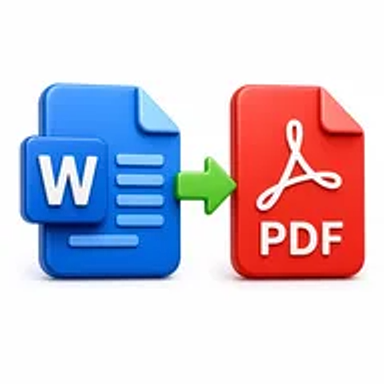
Word to PDF online tool converting a DOCX document into a PDF file

Word to PDF Online for Free – Convert DOCX Files Fast

Convert Word documents into easy-to-share PDF files while preserving the original structure and formatting as closely as possible. Upload your DOC or DOCX file and download the PDF without installing software.

Files never leave your device

Upload

Drag and Drop or Browse to Upload

Supported formats: doc, docx, doc, docx, doc, docx, doc, docx

Options

Why Converting Word Documents to PDF Matters

Word files are ideal for writing and editing, but their appearance can change when opened with different software, fonts, devices, or page settings. This can affect resumes, proposals, reports, contracts, and assignments when they are shared.

A PDF creates a more consistent version for reading, printing, archiving, or submission. It reduces accidental editing and helps the recipient see the document in the intended layout.

How Hemiley Simplifies Word to PDF Conversion

Hemiley converts DOC and DOCX files into PDFs through a browser-based process. Upload the Word document, start the conversion, and download the finished PDF when processing is complete.

The converter is designed to retain paragraphs, headings, images, tables, page breaks, and general formatting as closely as possible. Complex fonts, fields, macros, or unusual page elements may still need a quick review after conversion.

Key Benefits

  • Free browser-based tool

    Convert Word files without purchasing desktop software.

  • DOC and DOCX support

    Process common Microsoft Word document formats.

  • Consistent sharing format

    Create a PDF that is easier to open, print, and submit.

  • Secure file handling

    Documents are processed securely and are not intended to be retained longer than necessary.

  • Cross-platform access

    Use the converter from modern desktop, tablet, and mobile browsers.

  • Formatting-focused output

    Preserve the original document layout as accurately as possible.

Who Uses Our Word to PDF Converter?

  • Students and educators

    Convert assignments, lesson plans, notes, and academic reports.

  • Job seekers and HR teams

    Share resumes, cover letters, policies, and onboarding documents.

  • Businesses and freelancers

    Prepare proposals, invoices, quotations, and client reports.

  • Legal and administrative teams

    Create stable copies of letters, agreements, and official records.

How to Convert Word to PDF Online in 4 Steps

  1. 1

    Upload the Word document

    Select a DOC or DOCX file from your device.

  2. 2

    Check the selected file

    Confirm that the correct document is ready for conversion.

  3. 3

    Select Convert to PDF

    Start the browser-based conversion process.

  4. 4

    Download the PDF

    Review the finished file and save it to your device.
Common Word to PDF Use Cases

  • Submit school assignments, dissertations, and project reports.
  • Send resumes and cover letters in a consistent document format.
  • Share proposals, contracts, policies, and business letters.
  • Convert Word invoices and quotations into client-ready PDFs.
  • Archive finalized documents while keeping the editable Word source.

Why Choose Hemiley?

Hemiley provides a direct Word-to-PDF workflow with no unnecessary setup. Upload the document, convert it online, review the result, and download a stable PDF for sharing or storage.

Because the tool works through a browser, it can be used on different operating systems without relying on Microsoft Word or another installed office suite.

Frequently Asked Questions

The tool is intended for common Word formats such as DOC and DOCX.

The converter is designed to preserve layout and formatting as closely as possible. Complex fonts, macros, fields, or embedded objects may appear differently.

Yes. You can upload and convert supported Word files in a modern mobile browser.

The PDF is intended as a stable output. Use an Edit PDF tool or keep the original Word document when further editing is required.

No. The conversion runs online without requiring Microsoft Word on your device.