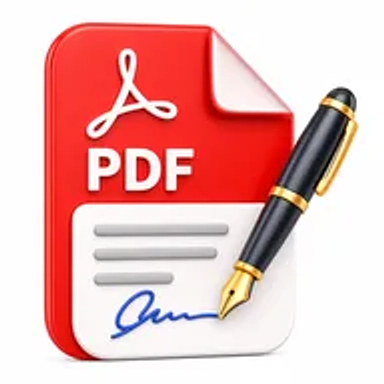
Sign PDF online tool for adding an electronic signature to PDF documents

Sign PDF Online for Free – Add an Electronic Signature

Add an electronic signature to PDF documents online. Upload your file, create or place your signature, review the document, and download the signed PDF without installing software.

Files never leave your device

Upload

Drag and Drop or Browse to Upload

Supported formats: pdf

Signature image

Upload PNG or JPG signature

Supported formats: png, jpeg

Options

Why Sign a PDF Online?

Contracts, approval forms, offers, consent documents, and business records often require a signature before they can move forward. Printing, signing by hand, and scanning the file adds extra steps and can reduce document quality.

An online signing tool lets you place an electronic representation of your signature directly on the PDF. This can speed up routine approvals and remote document workflows when the receiving organization accepts electronic signatures.

How Hemiley Simplifies PDF Signing

Upload the PDF, create a signature using the available drawing, typing, or image options, and position it on the correct page. Add the date or other required information, review the document, and download the signed copy.

A basic electronic signature is not automatically the same as a certificate-based digital signature, qualified electronic signature, or notarized signature. Legal acceptance depends on the document, jurisdiction, parties, identity-verification process, and applicable rules.

Key Benefits

  • Remote document signing

    Sign routine PDFs without printing and rescanning them.

  • Flexible signature placement

    Position a signature on the required page and location.

  • Multiple creation options

    Draw, type, or upload a signature image when supported.

  • No sign-up required

    Complete the task without creating an account.

  • Cross-device access

    Use supported desktop, tablet, and mobile browsers.

  • Downloadable signed copy

    Save the completed PDF for sharing and records.

Who Uses Our Online PDF Signing Tool?

  • Businesses and freelancers

    Sign proposals, service agreements, approvals, and client documents.

  • HR and recruitment teams

    Complete offer letters, acknowledgements, and onboarding forms.

  • Students and educators

    Sign permission forms, declarations, and institutional documents.

  • Individuals

    Complete consent forms, applications, and everyday agreements accepted electronically.

How to Sign a PDF Online in 4 Steps

  1. 1

    Upload the PDF

    Select the document that requires your signature.

  2. 2

    Create or add the signature

    Draw, type, or upload the signature using the available option.

  3. 3

    Position and review it

    Place the signature, add the date if required, and inspect every page.

  4. 4

    Download the signed PDF

    Save the finalized copy to your device.
Common PDF Signing Use Cases

  • Sign employment offers and onboarding acknowledgements.
  • Approve vendor contracts, proposals, and purchase documents.
  • Complete NDAs, consent forms, and permission letters.
  • Sign customer agreements, service forms, and internal approvals.
  • Add a signature to forms completed through the PDF Forms tool.

Why Choose Hemiley?

Hemiley provides a simple browser-based method for adding an electronic signature to a PDF. It is suited to routine documents that do not require a specialized identity, certificate, witness, or notarization workflow.

For high-value, regulated, or legally sensitive agreements, confirm the required signature standard with the receiving organization or a qualified professional.

Frequently Asked Questions

Electronic signatures may be valid in many situations, but acceptance depends on local law, the document type, the parties, and the signing process.

No. A placed electronic signature image is different from a cryptographic digital signature backed by a certificate.

Yes, when the tool supports multiple signature elements, place each one in the required location.

Yes. A touch screen can be convenient for drawing a signature in a supported mobile browser.

Avoid changes after final signing. If revisions are necessary, prepare a new version and obtain signatures again where required.