Why Converting PDF Pages to JPG Matters
PDFs are excellent for complete documents, but some websites, presentation tools, messaging apps, and design platforms work more easily with image files. Extracting a page manually through screenshots can reduce quality and create inconsistent dimensions.
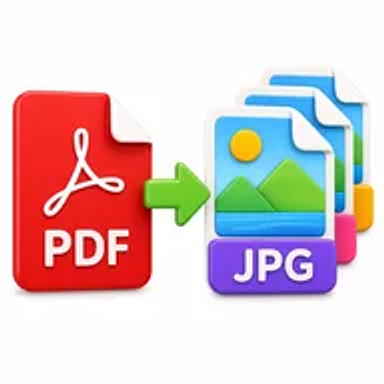
Converting PDF pages to JPG produces individual image files that are easier to preview, insert, upload, crop, or reuse in visual projects. It also lets you share selected page content without sending the entire document.
How Hemiley Simplifies PDF to JPG Conversion
Hemiley converts the pages of a PDF into JPG images directly in your browser. Upload the document, start conversion, and download the resulting images when they are ready.
The converter is designed to retain page clarity, colours, graphics, and layout as closely as possible. The quality of the output also depends on the resolution and condition of the original PDF.
Key Benefits
Free online conversion
Turn PDF pages into JPG files without paid image software.
Page-by-page output
Create separate images from the pages in your document.
Easy visual reuse
Insert converted pages into slides, websites, guides, or social posts.
Secure file handling
PDFs are processed securely and are not intended to be retained longer than necessary.
Cross-device access
Convert documents through modern desktop and mobile browsers.
Quality-focused images
Preserve page design and visual details as accurately as possible.
Who Uses Our PDF to JPG Converter?
Students and teachers
Add document pages to presentations, notes, and learning materials.
Marketing and design teams
Reuse approved PDF pages in visual layouts and previews.
Website and support teams
Create image-based guides, thumbnails, and documentation.
Freelancers and businesses
Share selected report, brochure, catalogue, or proposal pages.
How to Convert PDF to JPG Online in 4 Steps
- 1
Upload the PDF
Select the document whose pages you want to convert.
- 2
Choose the available output options
Select pages or quality settings when provided.
- 3
Select Convert to JPG
Let Hemiley create an image for each processed page.
- 4
Download the JPG images
Save the converted files to your device.
Common PDF to JPG Use Cases
- Create presentation graphics from report or brochure pages.
- Generate website previews and thumbnails from PDF documents.
- Share selected pages through platforms that prefer image files.
- Build training guides and step-by-step visual documentation.
- Prepare pages for cropping, annotation, or use in design software.
Why Choose Hemiley?
Hemiley provides a direct way to create JPG images from PDF pages without taking screenshots or installing image-editing software. Upload the document, convert the pages, and download the visual output.
The browser-based process works across common devices, making it useful for quick design, presentation, website, and documentation tasks.
Related Free PDF Tools
Frequently Asked Questions
The converter is designed to create image output from the processed PDF pages, allowing each page to be used visually.
No. JPG is an image format, so text becomes part of the image rather than editable document text.
The converter is designed to preserve page clarity as closely as possible. The result also depends on the resolution and quality of the source PDF.
Yes. The tool is designed to work in modern mobile and desktop browsers.
No. The PDF pages are converted online without additional desktop software.