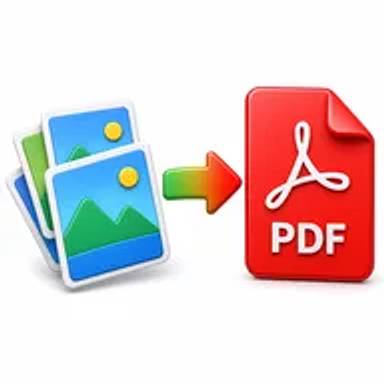
JPG to PDF online tool converting multiple images into one PDF document

JPG to PDF Online for Free – Convert Images into One PDF

Convert JPG images into a clean, shareable PDF in seconds. Upload one or more images, arrange them in the right order, and download the finished document without installing software or registering.

Files never leave your device

Upload

Drag and Drop or Browse to Upload

Supported formats: jpeg, png, jpg

Options

Why Converting JPG Images to PDF Matters

Individual image files can be inconvenient when you need to submit an assignment, share scanned receipts, print a photo report, or send several pages as one attachment. File order may be unclear, and recipients may have to open each image separately.

A PDF places the selected JPG images into one organized document. It is easier to name, review, print, archive, upload, and share while keeping every page in the intended sequence.

How Hemiley Simplifies JPG to PDF Conversion

Hemiley lets you turn JPG images into a PDF directly in your browser. Upload the images, arrange their order, choose the available page options, start the conversion, and download one completed file.

The converter is designed to preserve image clarity as closely as possible while fitting each image into a consistent PDF page. No account, browser extension, or desktop program is required.

Key Benefits

  • Free online conversion

    Create PDFs from JPG images without paid software.

  • Multiple-image support

    Combine several photographs or scans in one document.

  • Flexible page order

    Arrange images before generating the final PDF.

  • Secure file handling

    Uploaded files are processed securely and are not intended to be retained longer than necessary.

  • Works across devices

    Convert images on Windows, macOS, Linux, Android, iPhone, or iPad.

  • Shareable output

    Create a single document that is easier to email, upload, print, or archive.

Who Uses Our JPG to PDF Converter?

  • Students and teachers

    Combine photographed notes, worksheets, and assignment pages.

  • Office and finance teams

    Turn receipts, invoices, forms, and ID scans into organized PDFs.

  • Designers and freelancers

    Package image proofs, portfolio pages, and visual references.

  • Travellers and mobile users

    Combine photographed travel records and supporting documents.

How to Convert JPG to PDF Online in 4 Steps

  1. 1

    Upload your JPG images

    Select one or more image files from your device.

  2. 2

    Arrange the image order

    Move the files into the sequence you want in the PDF.

  3. 3

    Select Convert to PDF

    Apply any available page settings and begin conversion.

  4. 4

    Download the new PDF

    Save the completed document to your device.
Common JPG to PDF Use Cases

  • Create one PDF from photographed assignment or notebook pages.
  • Combine receipt images into a monthly expense record.
  • Prepare a photo report, property inspection, or project update.
  • Package ID card scans and supporting documents for an application.
  • Turn portfolio images into a simple document for client review.

Why Choose Hemiley?

Hemiley keeps image-to-PDF conversion focused and easy to understand. You can upload several JPG files, place them in order, convert them, and download one organized document from the same browser window.

The tool works on desktop and mobile devices, making it useful when your images are stored on a phone, tablet, laptop, or office computer.

Frequently Asked Questions

Yes. Upload multiple JPG images and arrange them in the desired order before creating the PDF.

The converter is designed to retain image clarity as closely as possible. The final result can also depend on the resolution of the original images.

Yes. Arrange the uploaded images in the sequence in which they should appear.

Yes. Hemiley is designed to work in modern mobile and desktop browsers.

No. The complete conversion runs online without additional software.