Why PDF Files Become Damaged
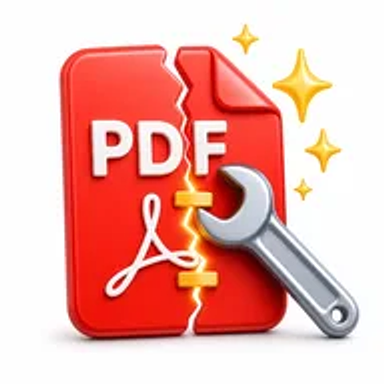
A PDF may stop opening after an interrupted download, incomplete transfer, storage error, application crash, or file-system problem. In other cases, the document opens but displays missing pages, broken objects, or error messages.
When the original source is unavailable, a repair attempt may recover enough structure or content to make the document usable again. Results depend on how severely the file is damaged.
How Hemiley Attempts to Repair a PDF
Upload the problematic file and start the repair process. Hemiley analyses available PDF data and attempts to rebuild a readable document from the recoverable structure.
PDF repair cannot guarantee full recovery in every case, particularly when core file data is missing or overwritten. The tool provides a practical first step before recreating the document or requesting another copy.
Key Benefits
Online recovery attempt
Try to fix the file without installing specialist software.
Simple workflow
Upload, process, and download the repaired version when recovery is possible.
Useful for common file issues
Address PDFs affected by incomplete downloads or structural errors.
No account required
Start the repair attempt without registration.
Works across supported devices
Access the tool from desktop and mobile browsers.
Original file remains available
Keep the damaged source while testing the repaired output.
Who Uses the Repair PDF Tool?
Office professionals
Recover reports, invoices, forms, and client documents.
Students and researchers
Try to restore downloaded papers, assignments, or notes.
Legal and administrative teams
Recover contracts, records, and archived files.
Individuals
Attempt to open damaged personal documents and scanned records.
How to Repair a PDF Online in 4 Steps
- 1
Upload the damaged PDF
Choose the file that will not open or display correctly.
- 2
Start the repair
Click the repair button to analyse the document.
- 3
Review the result
Open or preview the recovered file when available.
- 4
Download the repaired PDF
Save the rebuilt version to your device.
Common PDF Repair Use Cases
- Recover a report affected by an interrupted download.
- Try to open a damaged invoice or financial statement.
- Restore a contract or form from an old storage device.
- Repair a scan that displays an error after transfer.
- Recover accessible pages from a partially corrupted archive file.
Why Choose Hemiley?
Hemiley provides a straightforward online repair attempt for users who need a quick first response to a damaged PDF. The tool avoids complicated diagnostic settings and focuses on recovering a downloadable file.
Because recovery depends on the remaining data, always review the repaired PDF carefully for missing pages, text, images, signatures, or form fields.
Related Free PDF Tools
Frequently Asked Questions
No. Recovery depends on which parts of the file remain intact and readable.
Not always. Severely damaged content may be missing from the repaired output.
Yes. Keep it unchanged in case another recovery method is needed.
Repair and password removal are different tasks. Use the appropriate tool and only process files you are authorised to access.
No. Hemiley performs the repair attempt online in a supported browser.