Why Redact a PDF?
PDFs prepared for customers, courts, public disclosure, audits, research, or team sharing may contain information that must not be released. Names, addresses, account numbers, signatures, health details, confidential clauses, and internal identifiers can remain visible or searchable unless they are properly removed.
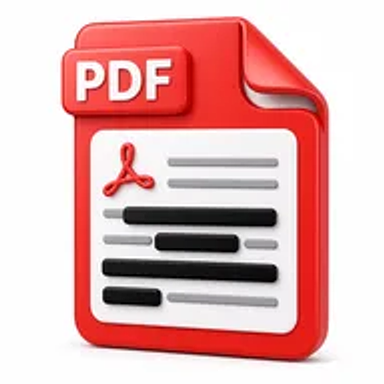
True redaction removes the selected content from the output document. Simply drawing a black rectangle over text is unsafe because the underlying text may still be copied, searched, extracted, or revealed.
How Hemiley Simplifies PDF Redaction
Upload the PDF, mark the text, images, or page areas that should be removed, and apply the redaction. Hemiley creates a new PDF with the selected content removed or flattened according to the supported process.
Redaction is permanent and should be reviewed carefully. Search the output, try selecting text near redacted areas, inspect document properties, and follow any legal, regulatory, or organizational review procedure before release.
Key Benefits
Permanent content removal
Remove selected sensitive information rather than only covering it visually.
Text and area redaction
Mark specific words, images, signatures, or rectangular page regions.
Safer document sharing
Prepare files for disclosure, review, publishing, or external distribution.
No sign-up required
Redact documents without creating an account.
Browser-based workflow
Process supported PDFs without installing specialist desktop software.
Separate output copy
Keep the confidential original and download a redacted version.
Who Uses Our PDF Redaction Tool?
Legal and compliance teams
Prepare filings, evidence, contracts, and disclosure documents.
HR and finance departments
Remove personal, payroll, banking, and employee information.
Healthcare and service organizations
Protect patient, customer, or case details before sharing records.
Researchers and public-sector teams
Anonymize records and prepare documents for publication or access requests.
How to Redact a PDF Online in 4 Steps
- 1
Upload the PDF
Select the document containing information that must be removed.
- 2
Mark sensitive content
Choose the text, images, or page areas for redaction.
- 3
Apply and verify the redaction
Process the file, then inspect every marked location and search the output.
- 4
Download the redacted PDF
Save the approved sharing copy separately from the original.
Common PDF Redaction Use Cases
- Remove names, addresses, phone numbers, and identification details.
- Redact bank account, card, salary, and financial information.
- Hide confidential contract clauses or internal business data.
- Anonymize medical, customer, student, or research records.
- Prepare documents for legal disclosure, public records, or publication.
Why Choose Hemiley?
Hemiley provides a focused redaction workflow for removing information that should not appear in a shared copy. The tool helps users mark sensitive areas and create a separate output document without rebuilding the complete PDF.
High-risk, legal, medical, financial, or regulated disclosures should follow an independent review and approval process before release.
Related Free PDF Tools
Frequently Asked Questions
No. A visual overlay may leave the original text accessible. Use a process that removes or permanently sanitizes the selected content.
Applied redaction is intended to be permanent. Always keep a secure original and verify the marked areas before processing.
Yes, when area redaction is supported, mark the complete image or signature region for removal.
Not necessarily. Metadata, comments, attachments, or hidden objects may require separate review and sanitization.
Search for removed terms, test text selection, inspect every page, and follow an independent review process for sensitive disclosures.