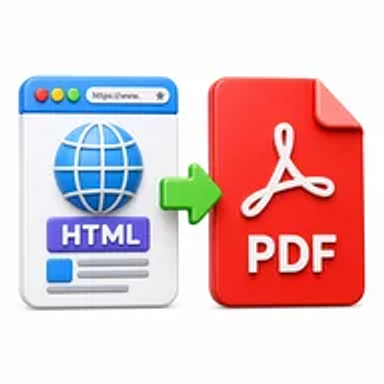
HTML to PDF online tool converting web page content into a PDF document

HTML to PDF Online for Free – Convert Web Content to PDF

Convert an HTML file into a high-quality PDF for printing, sharing, or archiving. Upload supported web content, process it online, and download the finished document without installing software.

Files never leave your device

Upload

Drag and Drop or Browse to Upload

Supported formats: html, html, htm

Options

Why Converting HTML Content to PDF Matters

Web content can change, disappear, require an internet connection, or display differently across browsers and screen sizes. This makes it difficult to keep a stable copy of an online invoice, article, receipt, report, or reference page.

A PDF captures supported HTML content in a fixed document that is easier to print, share, annotate, archive, or attach to a record. It also gives recipients a familiar format that does not depend on the original webpage remaining available.

How Hemiley Simplifies HTML to PDF Conversion

Hemiley converts supported HTML files into PDF format through a browser-based workflow. Upload the HTML file, start conversion, and download the generated document when processing is complete.

The output is designed to preserve text, images, headings, tables, and page structure as closely as possible. External stylesheets, scripts, protected content, dynamic components, and remotely hosted assets may affect the final rendering.

Key Benefits

  • Free online tool

    Convert supported HTML content without paid desktop software.

  • Stable document output

    Save web-based information in a fixed PDF format.

  • Useful for printing and records

    Create a version suitable for sharing, filing, or offline reference.

  • Secure file handling

    Uploaded content is processed securely and is not intended to be retained longer than necessary.

  • Works across devices

    Use the tool from modern desktop and mobile browsers.

  • Quality-focused rendering

    Preserve supported page content and structure as accurately as possible.

Who Uses Our HTML to PDF Converter?

  • Developers and website teams

    Review static HTML pages and save build documentation.

  • Finance and support teams

    Archive web invoices, receipts, order summaries, and case records.

  • Students and researchers

    Save supported online references for offline study and citation review.

  • Businesses and freelancers

    Create client-ready copies of web reports, proposals, and documentation.

How to Convert HTML to PDF Online in 4 Steps

  1. 1

    Upload the HTML file

    Select supported HTML content from your device.

  2. 2

    Check the source content

    Confirm that required text, images, and styles are included.

  3. 3

    Select Convert to PDF

    Start the browser-based rendering process.

  4. 4

    Download the PDF

    Review the pages and save the finished document.
Common HTML to PDF Use Cases

  • Archive web-based invoices, receipts, and transaction summaries.
  • Save technical documentation and supported help pages for offline access.
  • Create printable copies of reports, forms, and research material.
  • Share a fixed review version of an HTML prototype or webpage.
  • Keep records of supported web content that may later change.

Why Choose Hemiley?

Hemiley makes it easier to turn supported HTML content into a familiar document format. Upload the source file, convert it online, review the pages, and download a PDF for sharing or archiving.

The process runs in a web browser and does not require a desktop PDF printer, developer extension, or separate conversion application.

Frequently Asked Questions

The tool is intended for supported HTML content. Protected pages, dynamic applications, scripts, login-only content, or remote assets may not render completely.

Supported styles are retained as closely as possible, but external stylesheets, fonts, scripts, and responsive layouts can affect the output.

No. A standard PDF is primarily a static document, so interactive forms, animations, and scripts may not function as they do in a browser.

Yes. The tool is designed to work in modern mobile and desktop browsers.

No. The conversion runs online without a virtual printer or browser plugin.