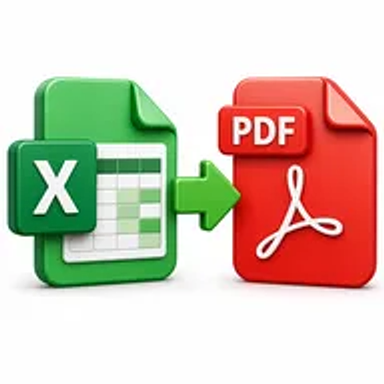
Excel to PDF online tool converting a spreadsheet into a printable PDF

Excel to PDF Online for Free – Convert Spreadsheets Fast

Convert Excel spreadsheets into printable, shareable PDF files online. Upload your XLS or XLSX workbook, start the conversion, and download the completed PDF without installing office software.

Files never leave your device

Upload

Drag and Drop or Browse to Upload

Supported formats: xls, xlsx, xls, xlsx, doc, docx

Options

Why Converting Excel Spreadsheets to PDF Matters

Excel files are built for calculations, filtering, and editing, but recipients can accidentally change formulas or see a different layout because of print settings, fonts, paper sizes, or software versions. Wide worksheets can also be difficult to review outside a spreadsheet application.

A PDF creates a fixed report that is easier to distribute, print, approve, archive, and upload. It helps preserve the selected worksheet layout and protects the shared copy from casual editing.

How Hemiley Simplifies Excel to PDF Conversion

Hemiley converts supported XLS and XLSX spreadsheets into PDF format through your browser. Upload the workbook, start the conversion, and download the resulting PDF after processing.

The converter is designed to retain tables, text, charts, borders, and page structure as closely as possible. Print areas, page orientation, scaling, hidden sheets, and very wide columns can affect how a spreadsheet appears in the final PDF.

Key Benefits

  • Free online conversion

    Create PDF reports from Excel files without paid desktop tools.

  • Common workbook support

    Convert XLS and XLSX spreadsheet formats.

  • Stable report format

    Share a fixed document for printing, review, or approval.

  • Secure file handling

    Workbooks are processed securely and are not intended to be retained longer than necessary.

  • Cross-device access

    Use the converter from modern desktop, tablet, and mobile browsers.

  • Formatting-focused output

    Preserve worksheet content and visual structure as accurately as possible.

Who Uses Our Excel to PDF Converter?

  • Finance and accounting teams

    Share budgets, invoices, payroll summaries, and financial reports.

  • Operations and HR teams

    Distribute schedules, trackers, employee lists, and approval sheets.

  • Students and researchers

    Submit data tables, calculations, and project results.

  • Businesses and freelancers

    Create quotations, inventory reports, and client-ready spreadsheets.

How to Convert Excel to PDF Online in 4 Steps

  1. 1

    Upload the spreadsheet

    Select an XLS or XLSX file from your device.

  2. 2

    Check the workbook

    Confirm that print areas, orientation, and worksheet layout are ready.

  3. 3

    Select Convert to PDF

    Start the online spreadsheet conversion.

  4. 4

    Download the PDF

    Review the output and save the finished report.
Common Excel to PDF Use Cases

  • Turn budgets and financial statements into printable reports.
  • Share invoices, quotations, and price lists in a fixed format.
  • Submit spreadsheet-based assignments and research tables.
  • Create stable payroll, inventory, or performance summaries.
  • Archive finalized worksheets while keeping the editable workbook.

Why Choose Hemiley?

Hemiley provides a straightforward way to create PDF copies of spreadsheets without navigating complex export menus. Upload the workbook, convert it online, and download a fixed document for sharing or printing.

The tool works in a browser, so it is practical when spreadsheet software is unavailable or when you are working from a different device.

Frequently Asked Questions

The converter is intended for common spreadsheet formats such as XLS and XLSX.

No. The PDF is a fixed representation of the workbook. Keep the original spreadsheet when formulas or data need further editing.

The result can depend on the workbook’s print area, orientation, margins, scaling, and column widths. Adjust those settings before conversion.

Yes. The converter is designed to work in modern mobile and desktop browsers.

No. The conversion runs online without requiring Excel on your device.